

How to Install
Rock Band 3 Deluxe requires a copy of vanilla Rock Band 3 to install over. We hope this is clear.
- PS3: BLUS30463 (NTSC)
- 360: 45410914 (World)
Select your platform of choice
Installing on Xbox 360
Some important notes:
- RB3DX works on hard-modded (RGH/JTAG) systems, as well as software-exploited systems via Bad Update. You will need one of these in order for this to work!
- The Games on Demand (GoD) version of Rock Band 3 is NOT supported! The game must be in extracted folder format; you should see a file called
default.xex - Do not use ISO2GOD after you copy the patch files, if you do this you won't be able to save your settings or search for songs.
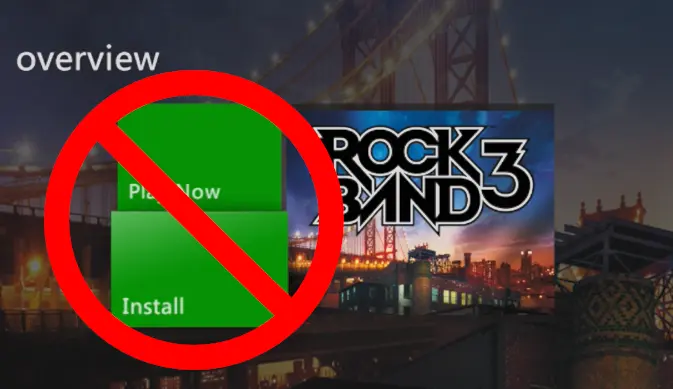
Install your copy of Rock Band 3 to your console through Aurora. This is required!
- We recommend that you rename the
default.xexfile todefault_vanilla.xex, just in case.
Download Rock Band 3 Deluxe if you haven't already
- Extract
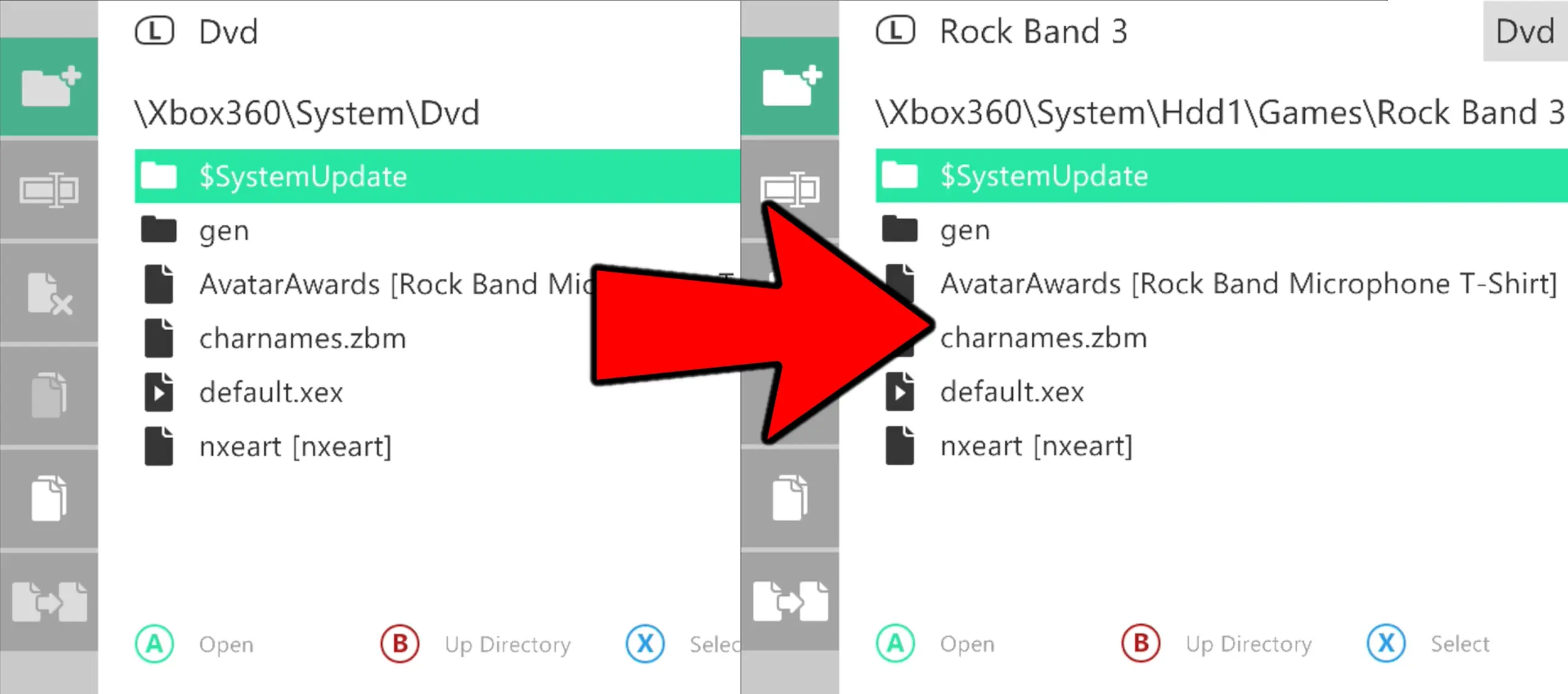
RB3DX-Xbox.zipand copy it to a USB storage device. Once that's done, connect it to your console. - In Aurora's file manager, find where you copied the files and select
default.xexandgen, then select "Copy". - Find where you have Rock Band 3 installed and select "Paste". Overwrite any file it asks you to replace.
Before you launch the game for the first time, we recommend that you...
- Download the Rock Band 3 Deluxe cover art in Aurora.
- Hover over Rock Band 3 in your games list and press
Y. - Scroll all the way down, then scroll left until you get to
Download Cover. - Download the one uploaded by
jnack, it should be all the way at the bottom. - Rename the game to Rock Band 3 Deluxe.
- In that same menu, scroll to the bottom option and select "Rename"
- Type in "Rock Band 3 Deluxe".
- Install RB3Enhanced.
- This is another Rock Band 3 mod that adds additional features and can run alongside RB3DX.
- Please visit their website for more details.
✅ You're ready to rock!
Installing on PS3*
*RB3DX requires a modded PS3 console (CFW or HEN) on firmware 4.89 (or newer) in order to run.
⚠️ Rebug is not supported! ⚠️
Download Rock Band 3 Deluxe if you haven't already
- Extract the
.zipfile. - Copy the
.pkgfile to the root of a FAT32 formatted USB drive. - Remove it from your PC and plug it into the far right USB port on your PS3.
- On the XMB, navigate to Package Manager > Install Package Files > Standard.
- Install it just like any other package.

✅ Rock Band 3 Deluxe is now installed and ready to play!
You can play the game using the original disc or via a backup on your hard drive. Rock on!
Installing song updates for YARG
RB3DX song updates require original Rock Band CON files to work.
Rock Band 3 Deluxe users do not need to install these as they are already included!
Download YARG Song Updates from Misc. Goodies if you haven't already
- Extract the
.zipfile. - Drag the
songs_updatesfolder next to the folder that contains your Rock BandCONfiles. - Do not drag
songs_updatesinto the folder with your Rock Band songs - In YARG, navigate to Settings > Songs > Scan Songs.
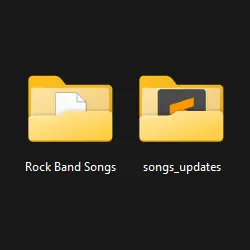
✅ Rock Band 3 Deluxe Song Updates are now in your library!
Rock on!
Installing on Wii* (and Dolphin Emulator)
⚠️ NOT RECOMMENDED! ⚠️
Formal Wii support has ceased. This version is strictly for development!
Wii users are suggested to only install RBEnhanced.
This version is missing many features, including upgrades and customization options.
*Compatible with SZBE69 (USA), SZBP69 (EU), or the Sep 1, 2010 prototype.
*RB3DX requires a modded (Homebrewed) Wii console in order to run.
*You can run RB3DX on Wii, vWii, Wii Mini, and Dolphin Emulator.
Download the Rock Band 3 Deluxe Wii (Patcher) if you haven't already
- Extract the
.zipfile. - Drag in a USA or PAL copy of vanilla Rock Band 3 (
.isoor.wbfsformat) into the extracted folder. - Run
patch_images.batif you're on Windows orpatch_images.shif you're on Linux - This may take a while, press any key to continue when prompted.
- You should see a new folder called
rock-band-3-deluxe. Inside it, you will find your newly created.isoor.wbfsfile. - On a real Wii:
- Copy this file to the
wbfsfolder on your USB drive to load with a USB loader. We recommend USB Loader GX. - On Dolphin Emulator:
- Copy this file to where you have Dolphin set to scan for your games.
✅ Rock Band 3 Deluxe is now ready to play!
PS, you should also check out RB3Enhanced! You can run it alongside Deluxe and use its additional quality of life features. Rock on!